Address verification
This guide shows you how to implement address verification in your device app so that users can safely confirm receive addresses on the secure screen of their Ledger signer.
Prerequisites: Read the design guidelines introduction before implementing address verification screens.
Basic address verification
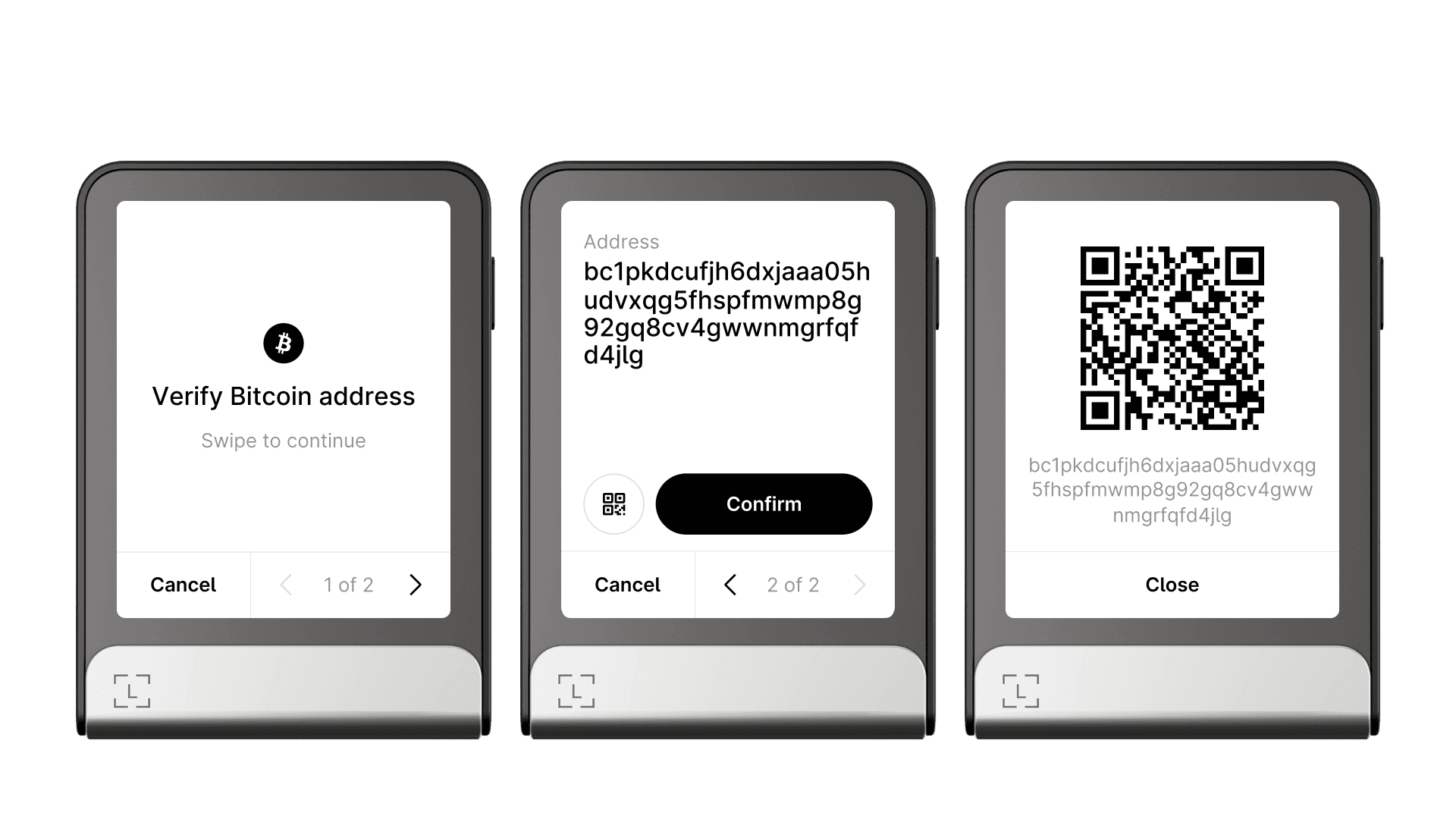
Just like for transactions, address verification starts with an intent that attracts the user’s attention and lets them know what action they are going to perform.
Once the user continues, they are shown the full address to compare with its software counterpart.
 |
|---|
| Verification prompt, followed by address display, and the QR code display. |
A plain “Confirm” button is used here instead of the “Hold to sign” gesture. The “Hold to sign” gesture is reserved for signing transactions and messages that have an actual impact on blockchain state or user funds.
The “Cancel” button dismisses address verification immediately, without requiring another user confirmation.
A button lets users display the address as a QR code, useful when they need to scan it from their mobile. By using the high-level API, your app gets this capability automatically.
API
nbgl_useCaseAddressReview()
This high-level API function builds the default template for address verification. It also handles the enriched version presented in the next section. View API docs.
Enriched address verification
In advanced use cases, you may want to show additional information alongside the address, such as derivation paths. Use a transaction-like flow with pagination, starting with the address on the first page. Here is an example with Cardano address verification:
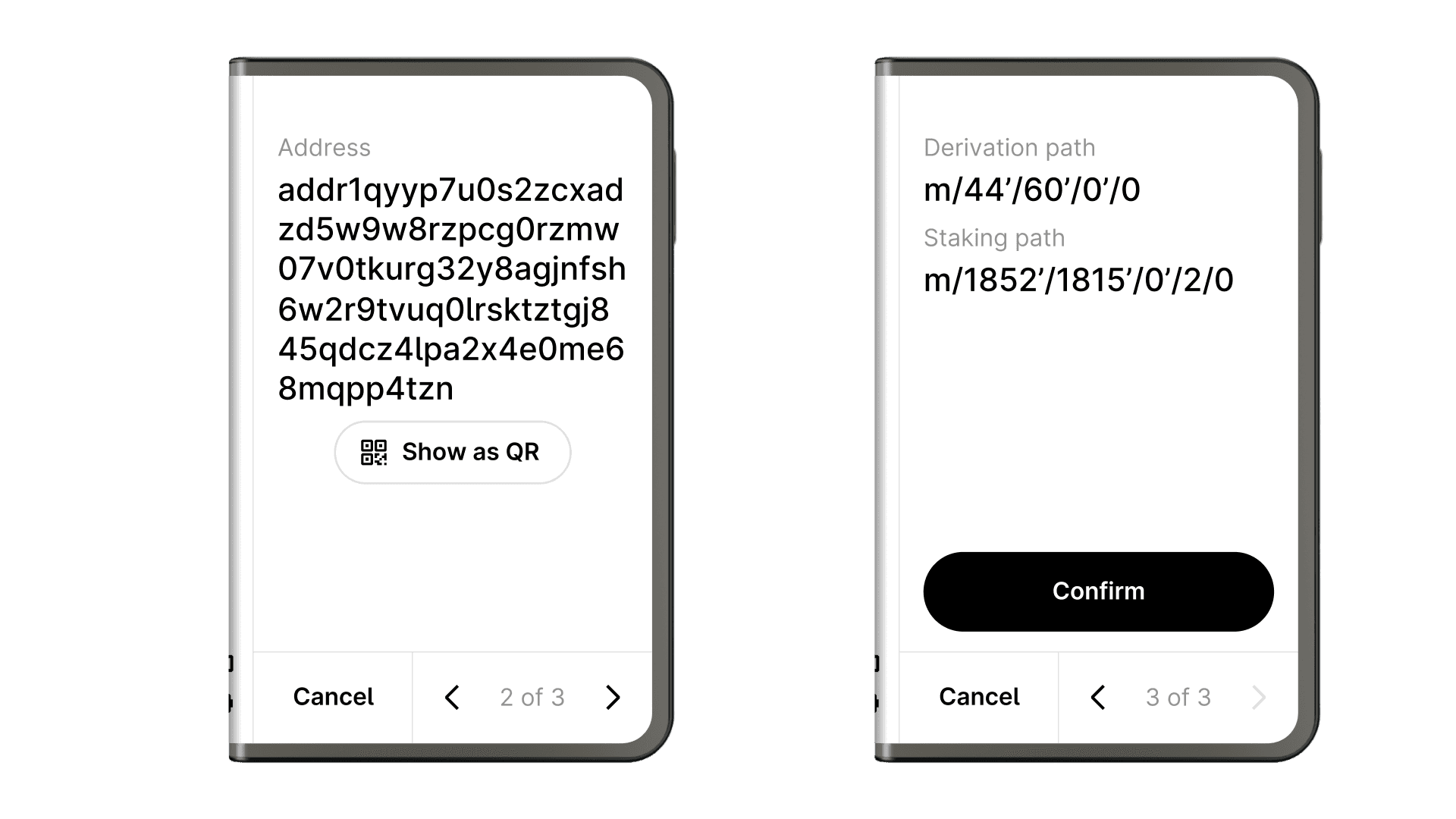
The same nbgl_useCaseAddressReview() function handles both the basic and enriched templates. Pass additional tag-value pairs to populate the extra pages.
Key takeaway
Make address verification simple and fast by conforming to the standard templates. This also lets your users display their address as a QR code for convenient sharing.
Next steps
- Transaction screens — how to design the transaction review and signing flow.
- Info and settings screen — how to implement the settings and info pages.
- Advanced interactions — handling special cases such as enriched flows with streaming data.
