Quick Start Your Project with the Ledger VS Code Extension
The Ledger VS Code extension gives you a fast, self-contained environment for building and testing apps for Ledger devices. It uses Ledger’s own Docker image so your environment is ready in minutes.
What the extension includes
- Build your app for all Ledger devices. Supports Rust apps (recommended for new projects) and C apps.
- Run functional tests on the device emulator (Speculos ) or on a real device.
- Load and delete apps on a physical device.
- Run AI-powered code reviews using Ledger’s own agent instructions .
- Run development guidelines checks to verify your app is ready for deployment.
- Stay up to date with the latest SDK.
- Support multiple app folders in the same workspace, each with its own Docker container.
- Inspect what the extension executes directly in the editor’s terminal panels.
Prerequisites
- Docker installed and running
- An X Window System server:
- Visual Studio Code or Cursor
- The Ledger VS Code extension: VS Code Marketplace · Open VSX
- One of: Rust App Boilerplate , C App Boilerplate , or Plugin Boilerplate
Using the extension
All features are accessible through the sidebar webview. Use the toolbar inside the webview to pin the actions you use most. You can also trigger build and test tasks directly from the VS Code task menu with Ctrl+Shift+B (Cmd+Shift+B on macOS), without opening the sidebar.
The status bar shows two quick indicators at the bottom of the editor:
- The device you are currently building for.
- The status of the Ledger developer tools Docker image.
Build and load your app
- Start Docker and your X server.
- Open a boilerplate app in your editor.
- Select your target device in the sidebar.
- Click Build app to compile.
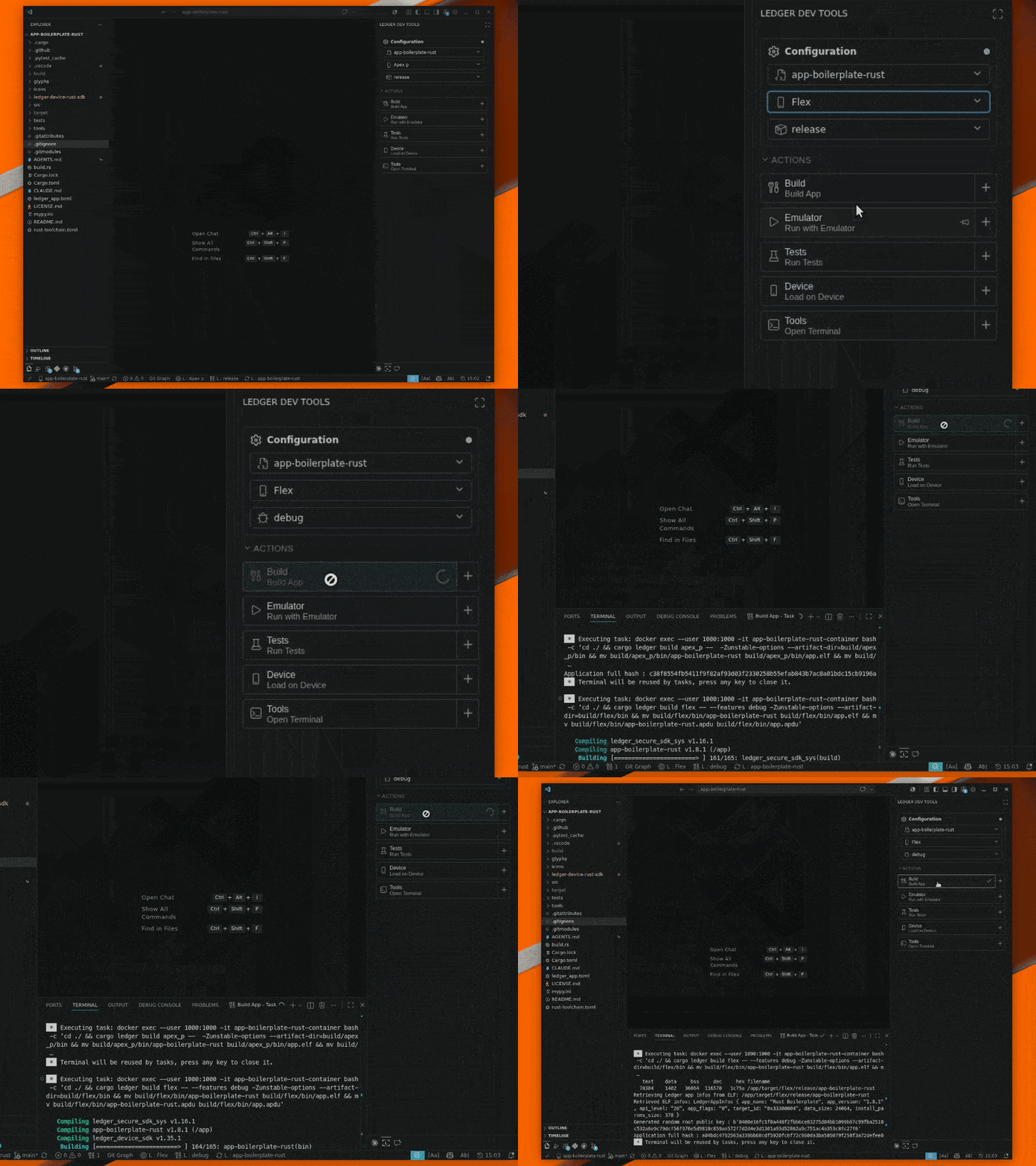
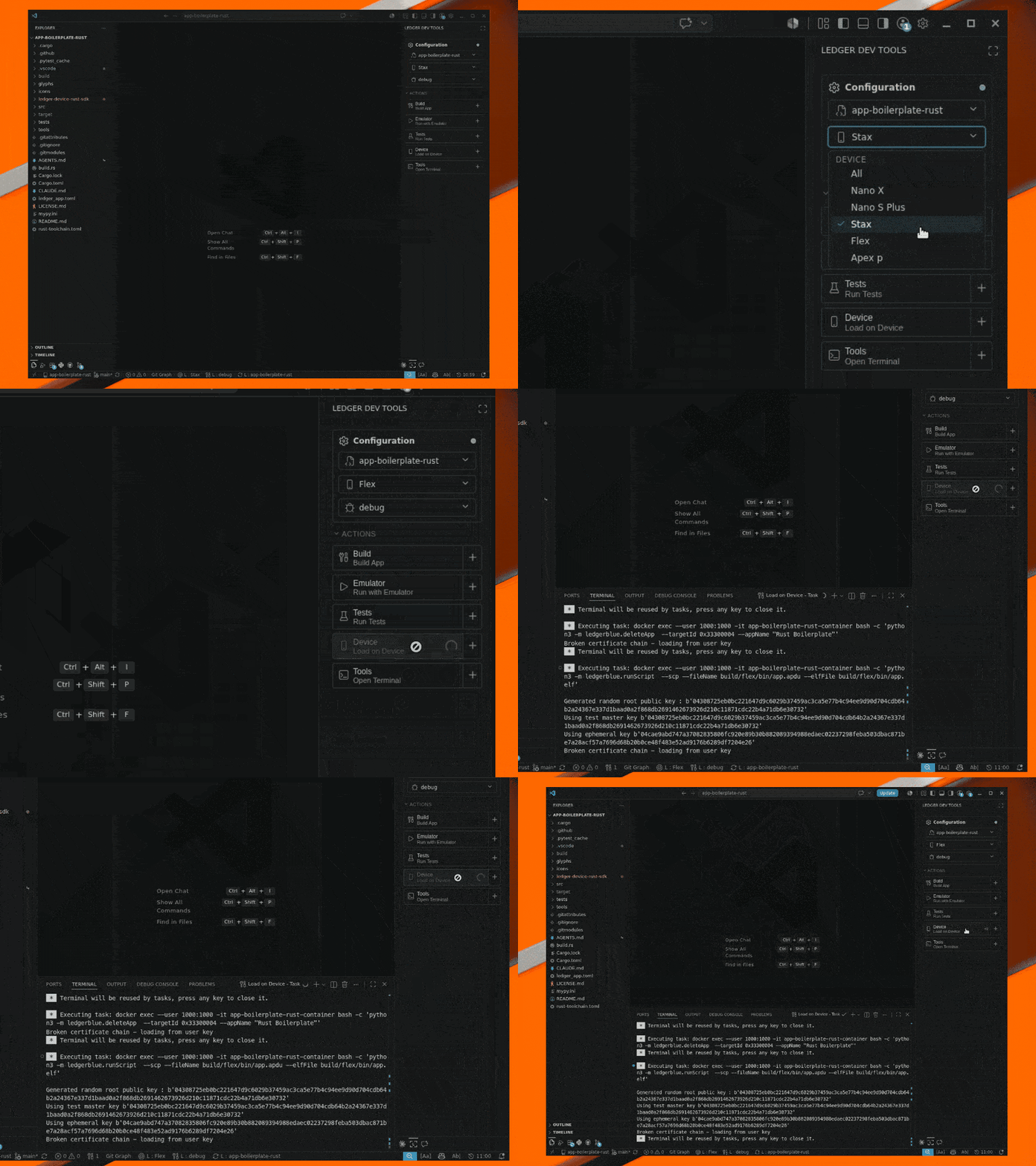
- Click Load app on device to sideload onto a connected device. Note that sideloading is not available on Nano X.
Functional tests
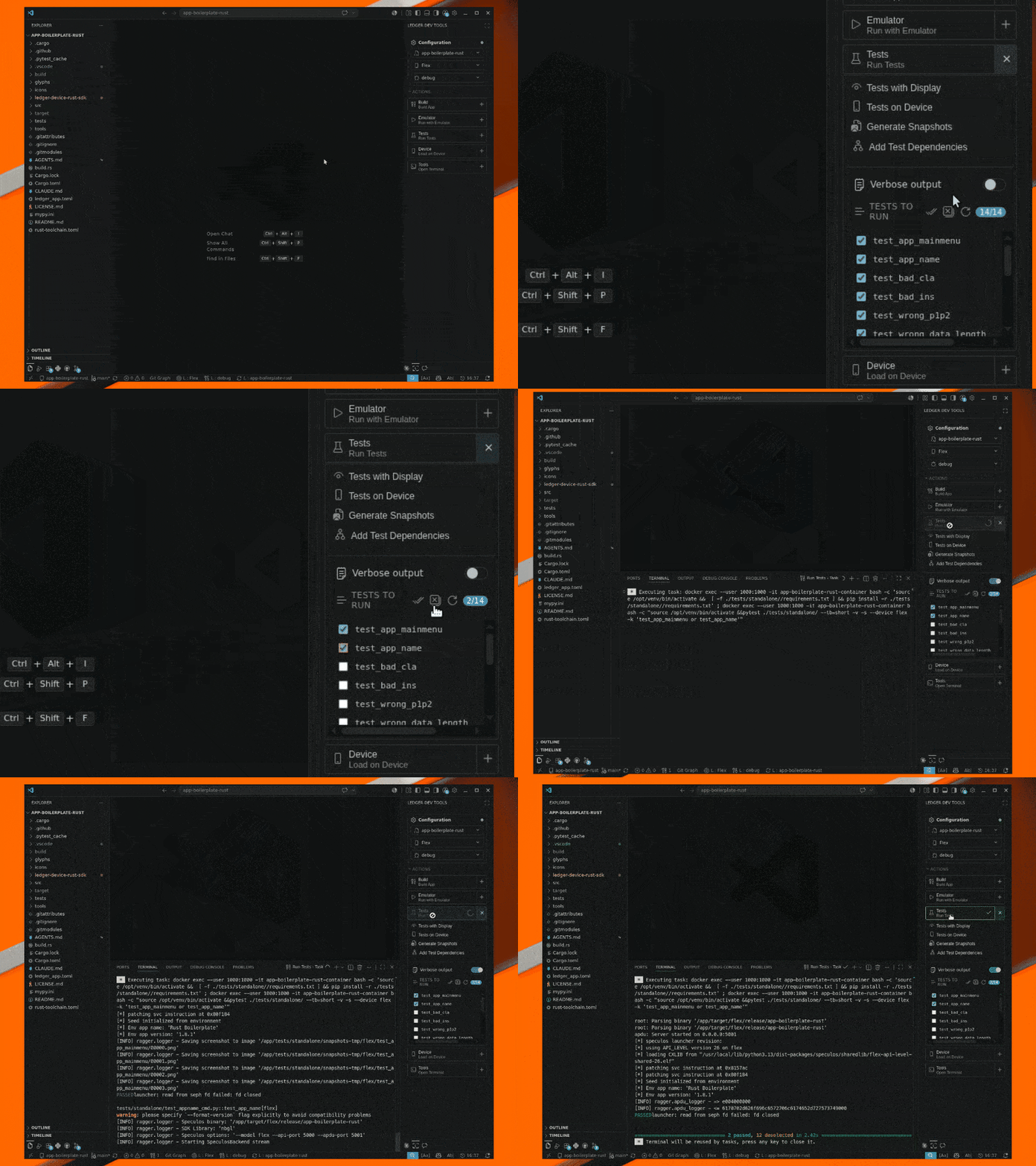
Run functional tests against the Speculos emulator or on a real device directly from the sidebar. See the testing requirements for details.
Device operations
The extension supports a quick device setup that skips the standard onboarding by assigning a generic seed and PIN defined in the extension settings. This seed is for testing only — use the seed generated by your device for any real-world use, and factory reset your device after testing.
You can also load and delete apps on a connected device from the sidebar.
AI Review
The extension can run an AI-powered code review of your app using Ledger’s agent instructions . Trigger the review from the sidebar.
VS Code: select the model that matches your GitHub Copilot subscription and review needs.
Cursor: the extension’s AI review relies on GitHub Copilot, which is not available in Cursor. To use the same instructions with Cursor’s built-in AI, add the instructions submodule directly to your app repository — see the ledger-app-ai-instructions repository for setup instructions.

You are now set up to build, test, and review a Ledger app. Modify the boilerplate to fit your project’s requirements.
