☞ The renaming of “Ledger Live” to “Ledger Wallet” is still in progress in the repos.
This page may contain references to “Ledger Live” that will be updated soon.
How to run your Live App locally in Ledger Wallet
Goal: Run a local Live App in Ledger Wallet for development and testing.
Prerequisites
- You have a dapp using wallet-api.
- A Ledger Device to access Ledger Wallet.
- Ledger Wallet Desktop installed. Download from the Ledger Wallet download page.
1. Create a manifest
A manifest is a .json file providing information about your Live App.
Create manifest.json at your project root:
{
  "$schema": "https://live-app-catalog.ledger.com/schema.json",
  "id": "replace-app-name",
  "name": "ReplaceAppName",
  "url": "http://localhost:3000/",
  "homepageUrl": "http://localhost:3000/",
  "platform": ["ios", "android", "desktop"],
  "apiVersion": "^2.0.0",
  "manifestVersion": "2",
  "branch": "stable",
  "categories": ["ReplaceCatagories"],
  "currencies": "*",
  "content": {
    "shortDescription": { "en": "Desc" },
    "description": { "en": "Desc" }
  },
  "permissions": [
    "account.list",
    "account.receive",
    "account.request",
    "currency.list",
    "message.sign",
    "transaction.sign",
    "transaction.signAndBroadcast",
    "wallet.capabilities",
    "wallet.info",
    "wallet.userId"
  ],
  "domains": ["http://", "https://"],
  "visibility": "complete"
}Ensure url points to your app (for local dev: http://localhost:3000).
For field details, see the manifest reference.
2. Enable Developer mode in Ledger Wallet
To add a local manifest and run a Live App not yet available in the catalog, enable Developer mode:
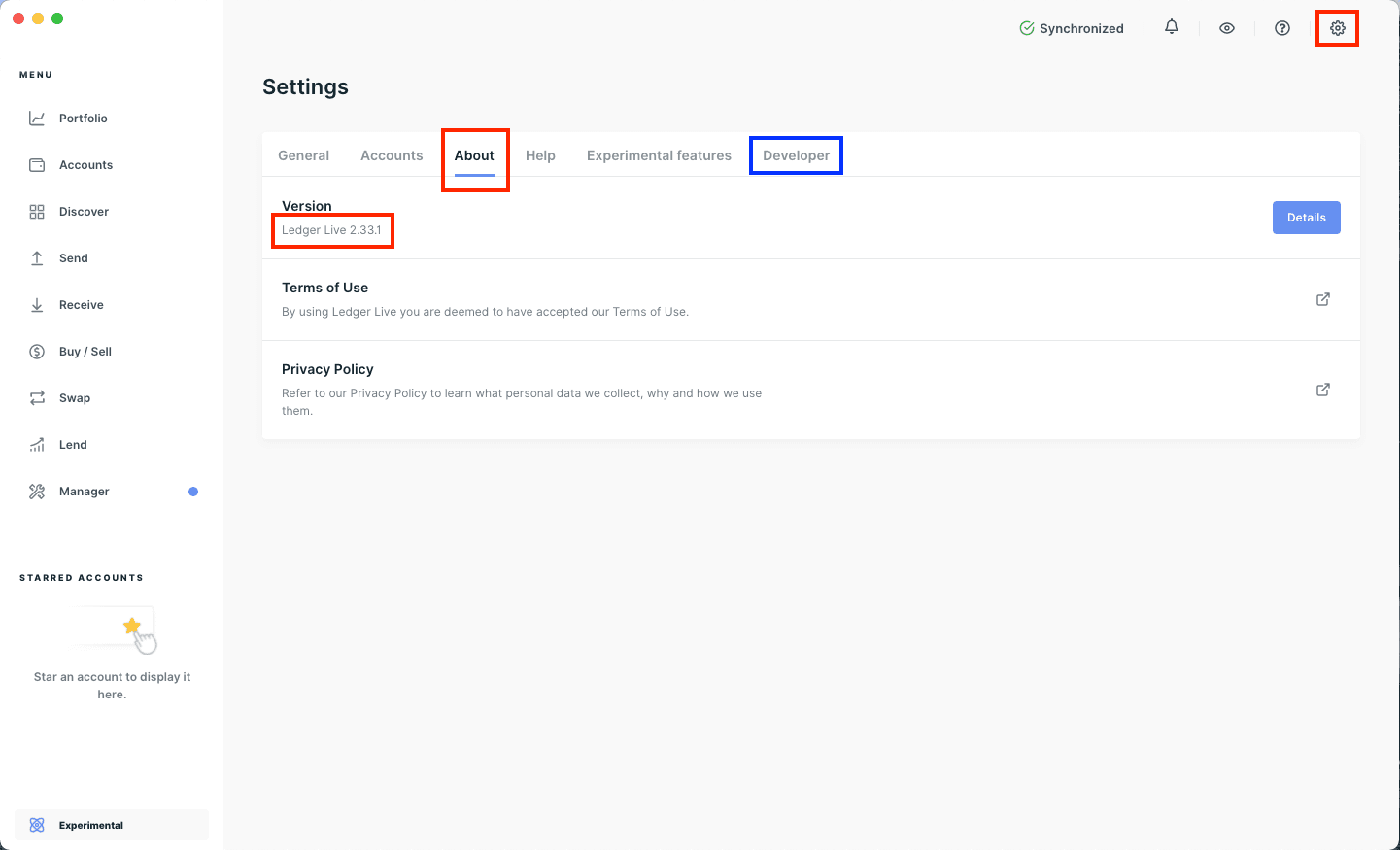
- Settings → About
- Click ten times on the Ledger Wallet version
A new Developer section appears.
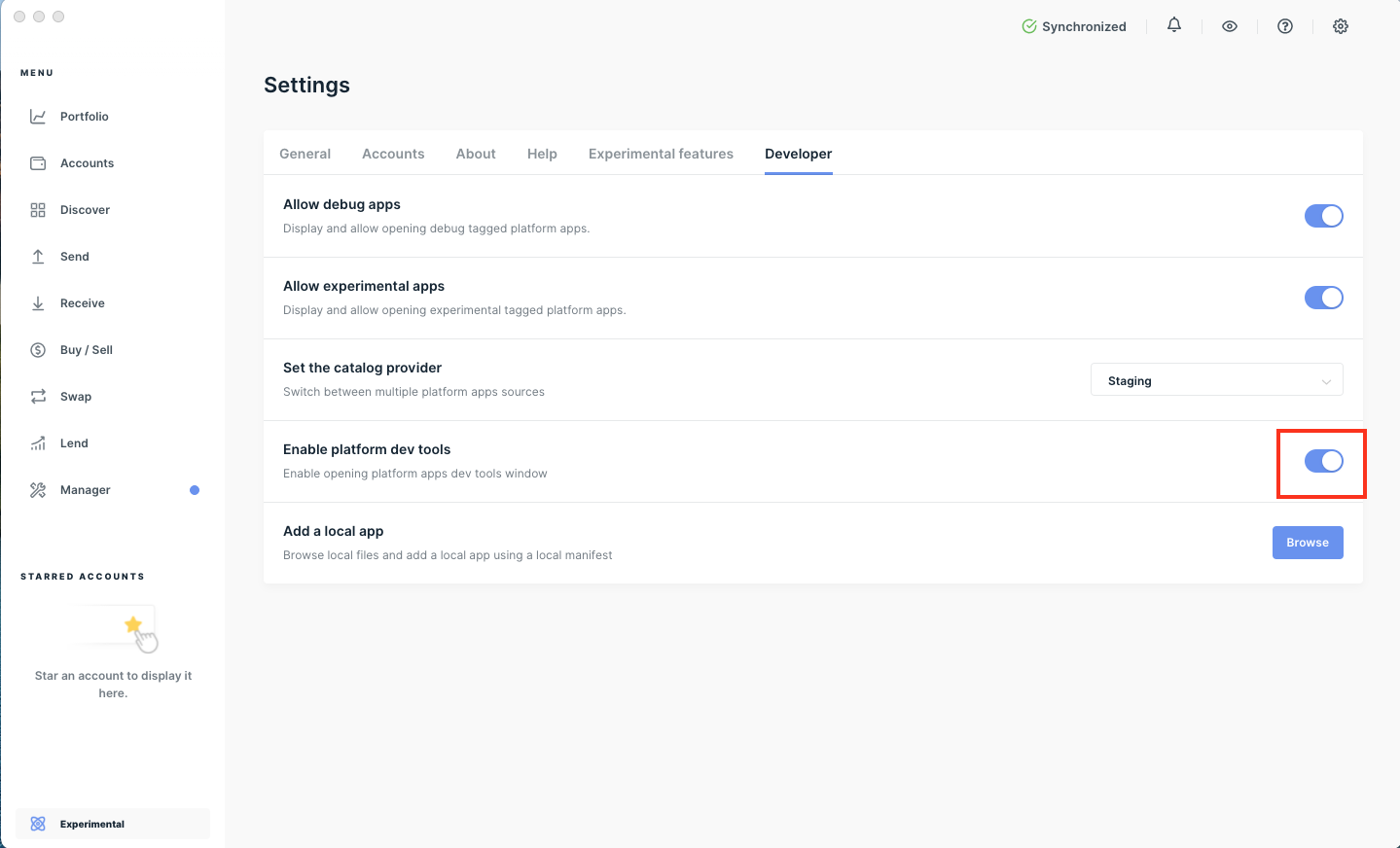
Turn on Enable platform dev tools to open the browser-like developer tools window.
3. Import your local manifest
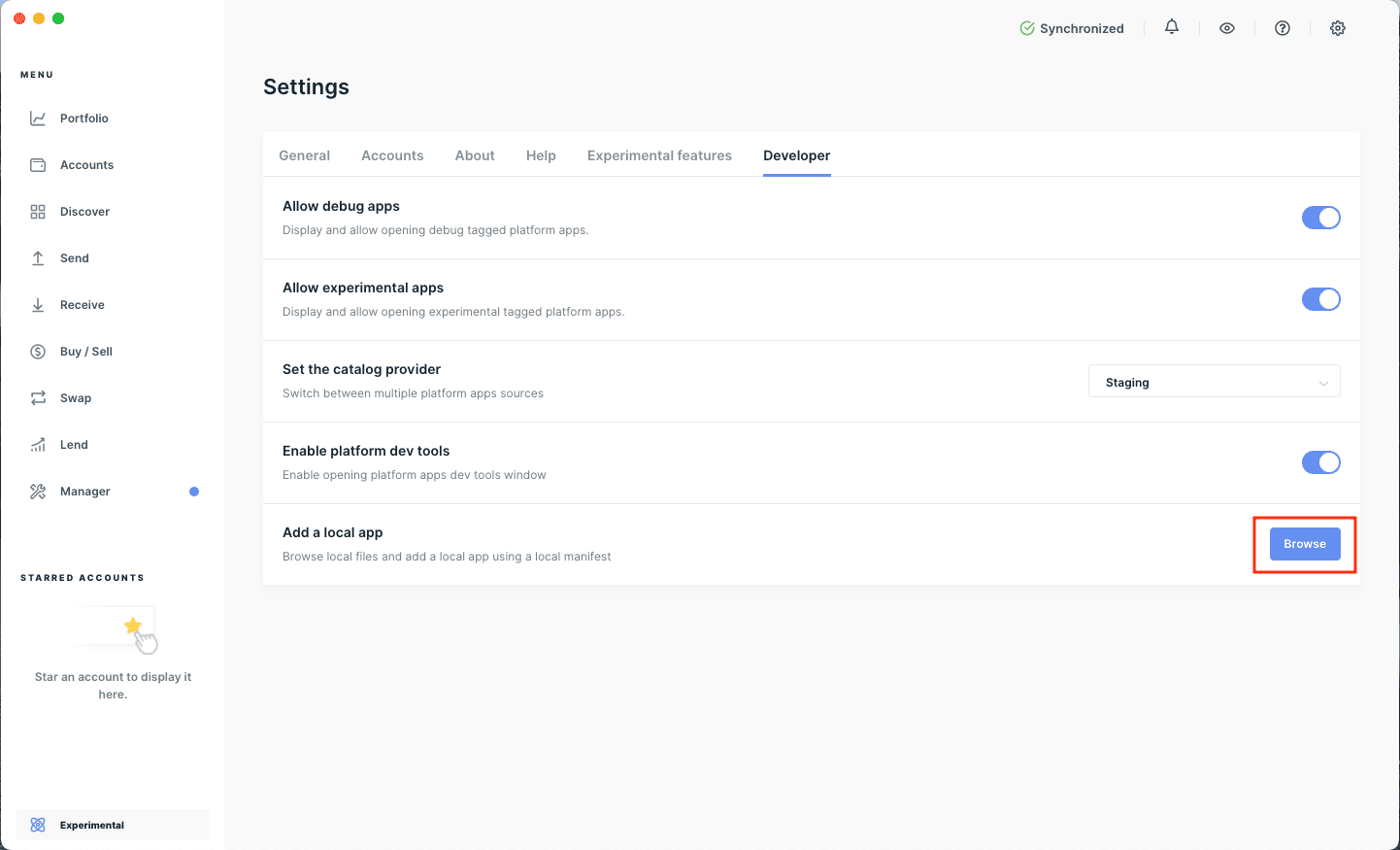
In Developer settings, click Browse next to Add a local app and select the manifest from step 1.
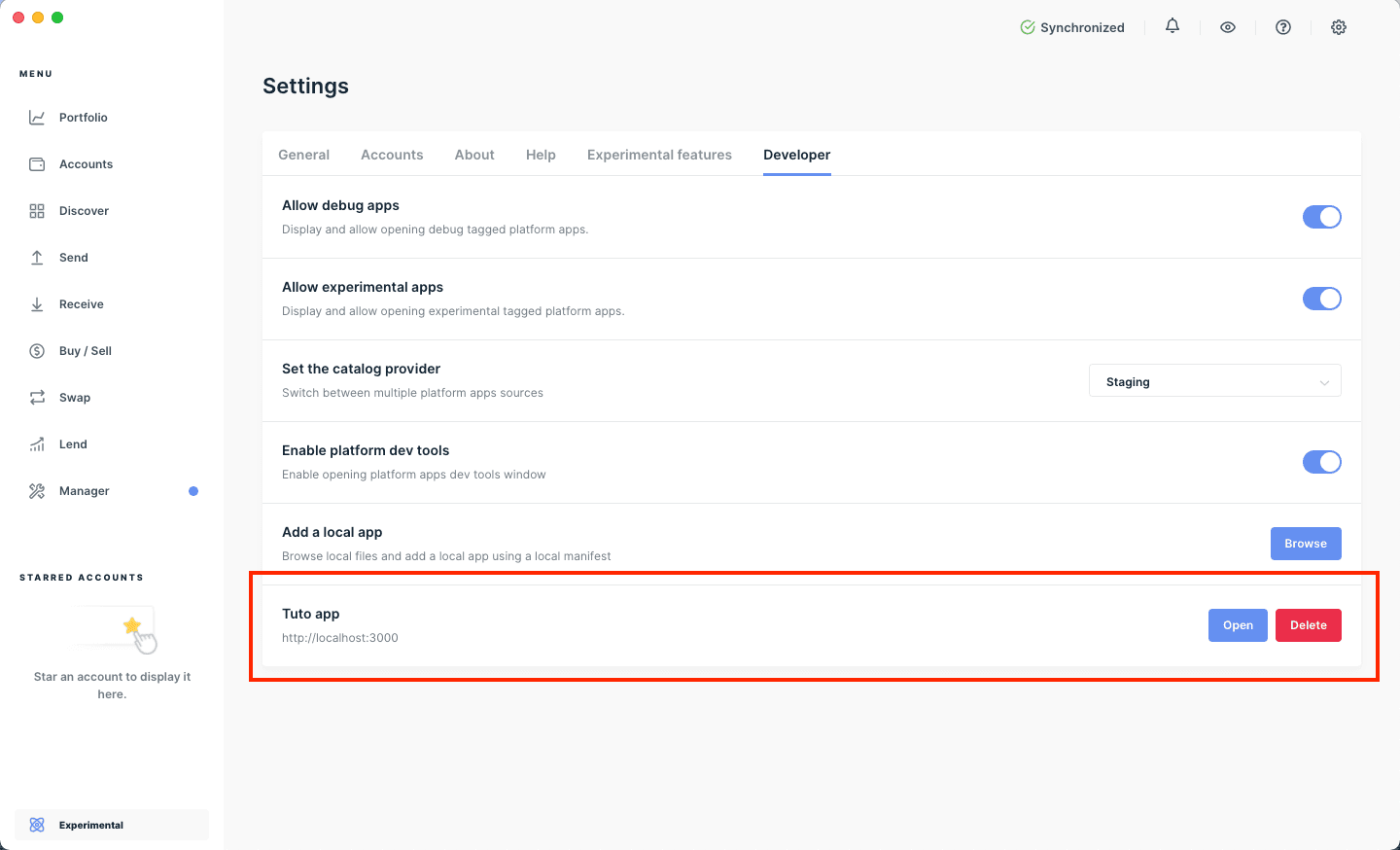
A new row appears with your Live App name.
4. Open and test your Live App
- Ensure you have at least one Ethereum account created. See Add your accounts.
- Click Open next to your local Live App in the developer menu.
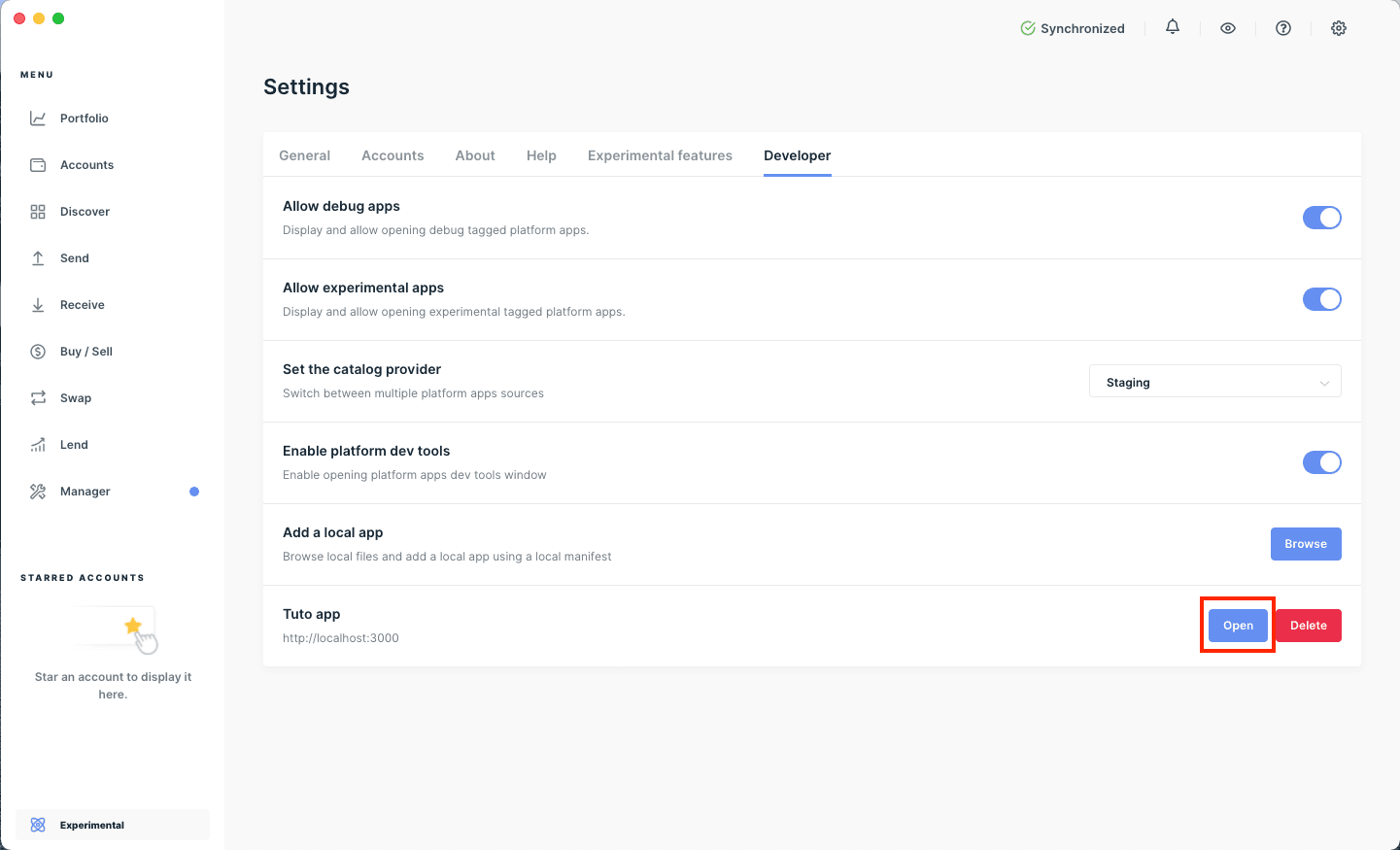
Your Live App opens inside Ledger Wallet.
Tip: Click Dev tools to open a browser-like developer tools window.
