---
title: Web USB/HID
description: In this section, we will guide you through the creation of a web application. This application will connect to your Nano to display the address of a Bitcoin account. If you want it for Ethereum you can easily modify it.
---# Web USB/HID## IntroductionIn this section, we will guide you through the creation of a web application.\
The instructions for Web USB and Web HID are very similar, with only a few lines to comment out, so this is a combined walkthrough.\
This application will connect to your Nano to display the address of a Bitcoin account.
You can easily modify the code, if you want it for Ethereum.Reference note: the packages referenced here are\
Web USB: [@ledgerhq/hw-transport-webusb](https://github.com/LedgerHQ/ledger-live/tree/develop/libs/ledgerjs/packages/hw-transport-webusb)\
Web HID: [@ledgerhq/hw-transport-webhid](https://github.com/LedgerHQ/ledger-live/tree/develop/libs/ledgerjs/packages/hw-transport-webhid).## One-time setupMake sure you go through the [prerequisites](../../info#prerequisites).## App Coding (Desktop)### App setupFor this tutorial, the folder will be named `example-web-hid-usb`, so that it can be used for either Web USB or Web HID.From your `Github folder` or favourite `examples folder`, run:```console copy
mkdir example-web-hid-usb
cd example-web-hid-usb
```Initialize the project by running:```console copy
npm init
```Answer the questions displayed or by default press enter. There is no incidence on the execution.Run:```console copy
mkdir src
touch src/index.html
touch src/main.js
```The folder will contain these files:
_Fig. 1: File structure_### FilesOpen the folder example-web-hid-usb in an code editor.#### index.htmlIn index.html copy-paste the following code :```html copy
My First Embedded App
```#### main.jsIn main.js copy-paste the following code:> **Warning:** Comment out or remove the `import` package you don't need
> (`@ledgerhq/hw-transport-webusb` or `@ledgerhq/hw-transport-webhid`)
> and the `const transport` you don't use.```javascript copy
import "core-js/actual";
import { listen } from "@ledgerhq/logs";
import AppBtc from "@ledgerhq/hw-app-btc";
// Keep this import if you want to use a Ledger Nano S/X/S Plus with the USB protocol and delete the @ledgerhq/hw-transport-webhid import
import TransportWebUSB from "@ledgerhq/hw-transport-webusb";
// Keep this import if you want to use a Ledger Nano S/X/S Plus with the HID protocol and delete the @ledgerhq/hw-transport-webusb import
import TransportWebHID from "@ledgerhq/hw-transport-webhid";
//Display the header in the div which has the ID "main"
const initial =
"Connect your Nano and open the Bitcoin app. Click anywhere to start...
";
const $main = document.getElementById("main");
$main.innerHTML = initial;
document.body.addEventListener("click", async () => {
$main.innerHTML = initial;
try {
// Keep if you chose the USB protocol
const transport = await TransportWebUSB.create();
// Keep if you chose the HID protocol
const transport = await TransportWebHID.create();
//listen to the events which are sent by the Ledger packages in order to debug the app
listen((log) => console.log(log));
//When the Ledger device connected it is trying to display the bitcoin address
const appBtc = new AppBtc({ transport, currency: "bitcoin" });
const { bitcoinAddress } = await appBtc.getWalletPublicKey(
"44'/0'/0'/0/0",
{ verify: false, format: "legacy" },
);
//Display your bitcoin address on the screen
const h2 = document.createElement("h2");
h2.textContent = bitcoinAddress;
$main.innerHTML = "Your first Bitcoin address:
";
$main.appendChild(h2);
//Display the address on the Ledger device and ask to verify the address
await appBtc.getWalletPublicKey("44'/0'/0'/0/0", {
format: "legacy",
verify: true,
});
} catch (e) {
//Catch any error thrown and displays it on the screen
const $err = document.createElement("code");
$err.style.color = "#f66";
$err.textContent = String(e.message || e);
$main.appendChild($err);
}
});
```### Dependencies#### InstallationRun:```console copy
npm install --save core-js
npm install --save @ledgerhq/logs
npm install --save-dev parcel
npm install --save @ledgerhq/hw-app-btc
```| Package | What does it do? |
| -------------------------------------------------------------------------------------------------------------- | -------------------------------------------------------------------------------------------------------------- |
| [core-js](https://www.npmjs.com/package/core-js) | Modular standard library for JavaScript. |
| [@ledgerhq/logs](https://www.npmjs.com/package/@ledgerhq/logs) | It provides you the log of all the errors from your connection with your Nano that may appear when developing. |
| [parcel](https://parceljs.org/) | It is a build tool that will help you package your application to run it in the browser. |
| [@ledgerhq/hw-app-btc](https://github.com/LedgerHQ/ledger-live/tree/develop/libs/ledgerjs/packages/hw-app-btc) | It will help you ask your Nano to access the Bitcoin address. |#### Install the Transport HID or USB packageThen depending on your choice install one of the corresponding packages:* Install the Ledger package [@ledgerhq/hw-transport-webhid](https://github.com/LedgerHQ/ledger-live/tree/develop/libs/ledgerjs/packages/hw-transport-webhid) which provide you with all the methods to interact with your Nano with an HID connection:
```console copy
npm install --save @ledgerhq/hw-transport-webhid
```
* Install the Ledger package [@ledgerhq/hw-transport-webusb](https://github.com/LedgerHQ/ledger-live/tree/develop/libs/ledgerjs/packages/hw-transport-webusb) which provide you with all the methods to interact with your Nano with a USB connection:
```console copy
npm install --save @ledgerhq/hw-transport-webusb
```#### Package.jsonModify `"main": "index.js"` to `"source": "src/index.html"`.And ensure you have this line in your package.json:```javascript copy
"scripts": {
"build": "parcel build",
"start": "parcel"
},
```Add this at the end of the script:```javascript copy
"alias": {
"@ledgerhq/devices": "@ledgerhq/devices/lib-es"
}
```Your "package.json" should look like this:> **Warning:** In the `dependencies` section of package.json, comment out or remove the line
> you don't need
> (`@ledgerhq/hw-transport-webusb` or `@ledgerhq/hw-transport-webhid`)
> Do not copy-paste as is, without removing the other line.```javascript copy
{
"name": "update-doc-web-hid-usb",
"version": "1.0.0",
"description": "",
"source": "src/index.html",
"dependencies": {
"@ledgerhq/hw-app-btc": "^10.1.0",
"@ledgerhq/hw-transport-webhid": "^6.28.0",
"@ledgerhq/hw-transport-webusb": "^6.28.4",
"@ledgerhq/logs": "^6.12.0",
"core-js": "^3.33.3"
},
"scripts": {
"build": "parcel build",
"start": "parcel"
},
"devDependencies": {
"buffer": "^6.0.3",
"parcel": "^2.10.3",
"process": "^0.11.10",
"stream-browserify": "^3.0.0"
},
"alias": {
"@ledgerhq/devices": "@ledgerhq/devices/lib-es"
}
}
```## App Launch### 1. Start the ServerNow that the Setup is finished, the app has to be built to be displayed.
Start the development server:```console copy
npm run start
```### 2. Launch the AppNow the application is up and running. Open the browser and go to `localhost:1234`, it will display :
_Fig. 3: Application Running on Browser_Before clicking on the text connect your Nano to the USB port, unlock it and run the bitcoin application. The steps are described below.### 3. Plug your Nano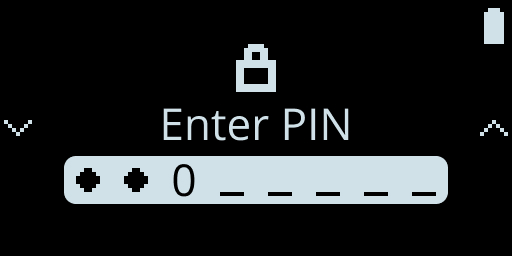Fig. 4: Enter Pin\
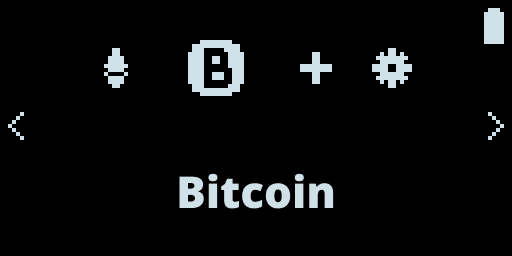Fig. 5: Select Bictoin\
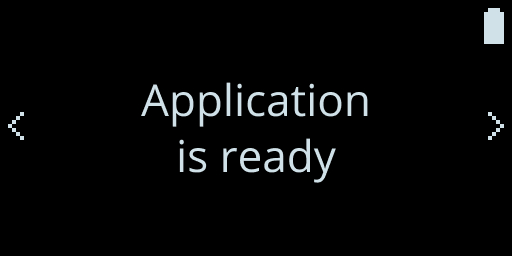Fig. 6: Embedded Run Application### 4. Connect the ApplicationNow you can click on the text and a popup will be prompt. Choose your Nano and click connect:
_Fig. 7: Connect your Nano_### 5. Check displayed addressThe App gets the Bitcoin address and displays it.\
Check that the address displayed on the App is the same as the one displayed on the Ledger device.
_Fig. 8: Address Account Displayed_Congratulations, you have successfully built your first application connected to a Nano!> **Note:** Note that if your finalize the operation on your Nano by accepting or
> rejecting, the corresponding message appears on your web application.## App Coding (Android Chrome)Android chrome supports HID and USB.\
For smartphones, only Android supports web applications.\
For Android, only Chrome supports web application.### package.jsonTo test your application on android, a little change has to be made.\
Add the `--https` flag in your `"start"` script> **Warning:** In the `dependencies` section of package.json, comment out or remove the line
> you don't need
> (`@ledgerhq/hw-transport-webusb` or `@ledgerhq/hw-transport-webhid`)
> Do not copy-paste as is, without removing the other line.```javascript copy
{
"name": "example-web-hid-usb",
"version": "1.0.0",
"description": "",
"source": "src/index.html",
"dependencies": {
"@ledgerhq/hw-app-btc": "^6.12.1",
"@ledgerhq/hw-transport-webhid": "^6.11.2",
"@ledgerhq/hw-transport-webusb": "^6.11.2",
"@ledgerhq/logs": "^6.10.0",
"core-js": "^3.20.2"
},
"devDependencies": {
"parcel": "^2.0.0"
},
"scripts": {
"build": "parcel build",
"start": "parcel --https"
},
"author": "",
"license": "ISC"
}
```The browser will warn that the website is malicious, to continue, click on "advanced settings" and then on "continue to the localhost site". Now you can test to connect your Nano on your Android.